Medical
Phishing Link Clicked? The First Hour Response for Tampa Medical Offices
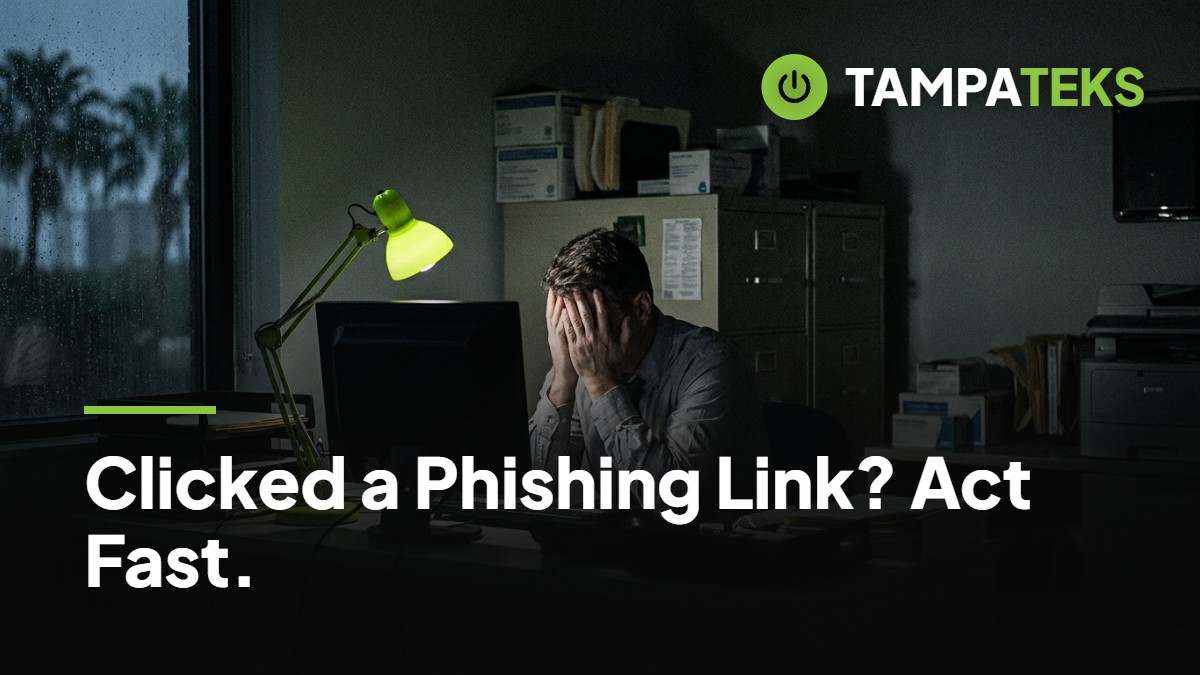
One of your front-desk coordinators just realized they clicked a link in a billing update email that looked legitimate, but now their computer is acting strange. The next sixty minutes determine whether this incident is a minor IT ticket or a major data breach for your Tampa medical practice.
Your Emergency First-Hour Response Plan
When a phishing link is clicked, the goal is to stop the spread of malicious software or unauthorized access. You must act quickly to isolate the problem before it moves from one workstation to your entire server or cloud environment. Following a structured process ensures you do not miss critical steps that could lead to a larger breach.
Disconnect the Affected Device Immediately
The very first step is to remove the computer from the network so it cannot talk to other devices in your office. If the computer is plugged into a wall jack with a blue or white cable, pull that cable out immediately. This physical disconnection stops a virus from traveling through your office wiring to reach your billing records or patient charts.
If the device is on Wi-Fi, turn off the wireless connection or put the computer in airplane mode. Do not simply shut the computer down or pull the power plug unless you see files being deleted or encrypted before your eyes. Keeping the computer powered on but disconnected allows IT experts to look at the computer memory to see exactly what the hacker was trying to do.
By isolating the device, you create a digital quarantine zone. This prevents the infection from reaching your backup drives or other staff computers. In a busy medical office, this one step can be the difference between one person being offline and the whole clinic coming to a halt.
Reset Credentials and Revoke Active Sessions
Once the device is isolated, you must change the user password for their Microsoft 365 or Google Workspace account. Use a different, known-secure computer or a mobile phone on a cellular connection to perform this reset. A password change prevents the hacker from using the stolen credentials to log in from a different location.
Simply changing the password is often not enough because hackers use digital tokens to stay logged in even after a password change. You must use the administrative dashboard to revoke all active sessions, which forces the account to log out on every phone, tablet, and laptop worldwide. This acts like changing the locks on your office and ensuring every old key in circulation stops working instantly.
Ensure that Multi-Factor Authentication (MFA) is still active and has not been modified. Hackers often try to add their own phone number to your MFA settings so they can get back in later. Verify that the only recovery phone numbers and email addresses listed belong to your actual employee.
Audit Mailbox Rules and Forwarding
Hackers often hide in plain sight by creating invisible mailbox rules that forward your incoming mail to their own external address. They might create a rule that says any email containing the word invoice or payment should be moved to the Deleted Items folder immediately. This allows them to steal financial data or patient information without the employee ever seeing the emails arrive.
Check the account settings for any forwarding addresses you do not recognize. Look for rules that delete mail or move it to unusual folders like the RSS Feeds folder. These hidden rules are a common way for a phishing attack to turn into a long-term data breach that lasts for months.
In a medical environment, these rules can lead to the unauthorized disclosure of Protected Health Information (PHI). If you find a forwarding rule sending mail to an outside domain, it is a clear sign that data has likely left your organization. This evidence is vital for your later review of the incident.
Alert Your Managed IT Provider
Call your IT support team as soon as the device is disconnected and the password is changed. Do not rely on email to report a phishing incident, as the hacker may be monitoring the user's sent items. A phone call ensures that a security technician can begin looking at your system logs to see if the hacker accessed other parts of your network.
Your IT provider will look for signs of lateral movement, which is when a hacker jumps from the infected computer to your main file server. They will also check your Microsoft 365 audit logs to see if any large batches of files were downloaded or exported. This professional review helps determine the actual scope of the event.
A managed provider can also check if your security software blocked the malicious link before it could do damage. Many modern security tools will stop the connection, but you still need a professional to verify that no secondary programs were installed in the background. This verification gives you the confidence to resume normal operations.
Document Every Action for Compliance
Keep a written log of exactly when the link was clicked and what time you took each corrective step. Note the name of the employee, the specific computer used, and the appearance of the suspicious email. This documentation is a requirement if you later determine that the HIPAA Breach Notification Rule applies to the situation.
You should also save a copy of the phishing email itself, but do not forward it to other staff members. Instead, take a screenshot or print it to a PDF so your IT team can examine the headers. These headers contain the digital fingerprints of the sender, which can help block future attacks from the same source.
This guide serves as an IT operational best-practice guide and is not legal or regulatory advice; always consult with your privacy officer or legal counsel regarding specific reporting obligations. Having a clear timeline of your response shows that your practice took reasonable and diligent steps to protect patient data once the risk was identified.
Impact on Tampa Bay Medical Practices
In the Tampa-St. Petersburg-Clearwater area, medical offices face unique operational pressures. A cyber incident that takes your network offline can be just as disruptive as a power outage during a summer storm. While we rely on TECO Energy or Duke Energy Florida to restore our local power, restoring your digital data after a breach is entirely your responsibility.
For a medical practice in Tampa, a phishing click can lead to a total freeze of your patient scheduling and billing systems. If your network is not properly segmented, a single click at the front desk can spread to the computers in the exam rooms. This stops patient care and creates a massive liability regarding the privacy of local residents.
The HIPAA Breach Notification Rule requires you to have a plan for assessing these risks. By acting within the first hour, you demonstrate a commitment to patient privacy that is expected of any healthcare provider in Florida. Quick action protects your reputation in the local community and keeps your clinic running.
3 Things to Ask Your Current IT Provider Today
- Can you show me exactly how we force a sign-out for a user across all their devices if their account is compromised?
- Do we have an automated alert system that notifies us if a new mailbox forwarding rule is created in Microsoft 365?
- Is our network set up so that an infection on a front-desk PC is blocked from reaching our server or other clinical workstations?
If you are unsure about your current security posture, we can help you find the gaps. Book a Free IT Health Check: we review your computers, security and backups at no cost.
- #phishingresponse
- #medicaloffice
- #cybersecurity
- #tampabusiness
- #hipaa